

How to use the site
Enter the hint the game shows and the possible combos come up. 30 seconds is enough.
Reading the Strategy Archive
Each strategy has a round-by-round plan diagram.
- Column = round (R1–R6)
- Block = what to do that round
- Arrow branches = options depending on conditions
- Italic text = condition for taking that route
- Icon = the tool used that round
- Item × = no tool used
- Red block = fold that round
- Verified version = the game version it was actually tested on
- Top tags = hall · play style · seed needed
Each tool item can be used only once per match, so it never repeats along the same route.
Blocks with a yellow dot have a note. Click to open it; click outside or press Esc to close.
The operator writes the Strategy Archive. Post strategy suggestions in the Strategy Forum.
Rules for posting to the Strategy Forum
- Anyone signed in can post (no tier requirement)
- Minimum to publish = a complete R1–R5 plan map (a block for every round, with block names)
- Pick the hall, character, play style and seed tags ([Any character] if it works with anyone)
- Pros, cons and details are optional — drafts save without conditions and only you can see them
- You edit and delete your own posts · no two strategies can share a name · 60-second cooldown
- Posts with 3+ upvotes are pinned as the TOP 3 · if the operator promotes one to the Strategy Archive, the author's nickname stays on it
- Number next to ★ = how many people favorited that strategy (who did isn't shown)
30-second summary
Pick the hint
- Slots — 3-slot / 4-slot / 9-slot / 1-slot average
- Quality — Purple average / Purple total / Gold average / Gold total
Enter the value shown
If you know the expected item count, enter it too. It's optional, but it makes the search faster and more accurate.
Combo Finder
- Items
- Duplicate count ×N
- Item count
- Total price

 173,567
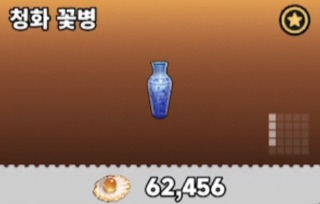
← Real example: 4-slot average 86,783 has exactly one combo. Goldenhead Guobaorou (111,111) + Blue-and-White Vase (62,456) = 173,567, average 86,783.5 → the game shows 86,783 (rounded down).
Hint types
Slot hint
3-slot / 4-slot / 9-slot / 1-slot average — the average price of collectibles of that size. The 3-slot average was added in patch 1.3. The 4-slot average stays because it can still appear as auctioneer info.
Quality hints
Purple average / Gold average — the average price of collectibles of that quality.
Purple total · Gold total
Not an average but the sum of all prices for that quality. It finds combos whose total matches, and the item counts in the results are the possible counts.
Combining two hints
Hints from different families can be used together.
- 4-slot + Gold
- 3-slot + Purple
- Purple + Gold
Collectibles that fall under both conditions count toward both. Within the same family (the four slot hints, Purple average and total, Gold average and total), pick just one.
Quality ×2
Gold quality ×2 / Purple quality ×2 — turn the toggle on in an event match. Counts stay the same; only prices are doubled.
Note
Items outside the hint can't be known. In other words, the results are an estimate within what that hint can tell you.
Combo Finder
Expected item count
The total number of items in the auction. Enter it and combos near that count are searched first.
Sort
- By item count closest to the expected item count → then by price
- By price lowest total price first
- Most frequent available once the same hint has 5+ real samples
Include items
If you know a collectible is definitely there, add it. The search reruns with only combos that include it. Pick the same item several times for ×2, ×3 (exactly that many).
Card labels
- ×N = N of the same item
- ×2 also works = duplicates keep the same average
- Records = a combo that actually appeared
- Report verified = a combo verified by a report
Starting hint
In settings you can choose which hint the first screen starts with.
- Gold average
- Last chosen
- Custom
Saved in your browser.
Clear inputs
Resets the average prices and expected item count at once. You can also bring back recent searches and favorites.
Registering real results
Once the auction ends and you've confirmed the real combo, register it. Sign-in required / 60-second cooldown. It goes straight into the odds and stats.
Report
If a real combo appeared that the calculator didn't list, report it. If the math matches the hint value it's added to the records, and missing combos are used to improve the calculator.
Snipe Calculator
Works backward from an item's price to the right bid for each round.
- Avoid a snipe — price × multiplier + 1
- Snipe — price ÷ multiplier + 1
Round multipliers
R1 2×R2 1.6×R3 1.3×R4 1.1×Custom
R1 (2×) is hidden by default; open it with "Show R1 (2×)".
Item search fills in a price right away. Turn on multi-price compare to compare several items by round at once. Results are rounded down, with the exact value shown alongside.
Log a Match
Log the result after every match. Logs feed the character lot-win and win-rate stats. Sign-in required / 60-second cooldown.
Winning character
Hall · Round
Result
Share match records
On by default. When off, your logs show only in My records and are left out of overall stats and the Hall of Fame.
If you logged something wrong
Records → My records → delete, then log again.
Contribution tiers
More input fields open as your contributions grow. All of them are optional.
Extra fields unlocked by tier
Depending on your contribution tier, you can log more detail about each match. Leave anything you don't know blank. Blank = not logged. Only the data you enter goes into the stats.
Red quality 100+ contributions
Log every Red collectible from that match. If there was none, pick No Red quality.
Purple · Gold · Red counts
Enter the item count for each quality. Only matches with all three filled in go into the quality mix stats.
Board value
The actual storehouse value shown on the settlement screen. Used for the per-hall value distribution stats.
Quality ×2
Always check it in an event match. Otherwise it mixes with normal matches and skews the stats. It turns off automatically after you log.
Gold quality 500+ contributions
Log every Gold collectible from that match. The Gold average price is also calculated and registered automatically from it.
Contribution tiers
Contributions = total Records registrations + match logs. As they add up, your tier, logging permissions and odds-table weight go up.

Red Tier 100+ contributions · weight 1.1
- Log the Red-quality items from each match in Log a Match (the basis of the item appearance stats)
- Log the match's Purple, Gold and Red counts separately — fill in all three and they feed the per-hall quality mix stats
- Log the match's board value (the actual value shown at settlement) — it feeds the board value stats in Records
- Access to Search stats in Records — everyone's search values at a glance, collected anonymously (numbers only, no nicknames or times)
- Auction Practice odds-table weight 1.1 — only logs made while your match records are shared count; logs made after you turn sharing off are left out
- Sunset Diamond badge next to your nickname · red sunset effect on the top menu · [Log a Match] text green→blue

Diamond Tier 500+ contributions · weight 1.3
- All Red Tier perks + log the Gold-quality items from each match too
- Auction Practice odds-table weight 1.3
- Eternal Heart badge next to your nickname · dark-red gem effect on the top menu · [Log a Match] text blue→purple flame

Emerald Tier 1,000+ contributions · weight 1.4
- Every feature perk up to Diamond Tier — what sets Emerald apart is the highest contribution weight
- Auction Practice odds-table weight 1.4 (highest) — the same log moves the odds table the most
- Sky-Blue Ripple badge next to your nickname · deep crimson effect on the top menu · [Log a Match] text purple→crimson flame

Pendragon Tier 1,500+ contributions · weight 1.5
- Every feature perk up to Emerald Tier — what sets Pendragon apart is its contribution weight and exclusive effects
- Auction Practice odds-table weight 1.5 (highest) — each log moves the odds table the most
- Pendragon badge next to your nickname · an exclusive flame on the [Log a Match] text, crimson at both ends and deepening toward the middle
Why tiers?
Only someone who watched a match to the end can log its item mix and board value accurately. Opening detailed logging to users with enough logs keeps the data accurate. The server checks eligibility.
Odds-table weight
Auction Practice's item odds table is calibrated from match logs. The higher your tier, the more each log moves the table. Only logs made with match record sharing on count.
Records
Odds
How often that combo was registered for the same hint value. Example: 2 of 3 records · 66.7%
First record
The first record for that hint value.
Hall of Fame
Shows the users with the most logs. Switch between Weekly and All.
Item appearance stats
Calculates appearance rates by quality from logged real matches. Split by Red / Gold and by Shell / Coral / Pearl.
Win-rate stats
- Lot-win rate — share of all matches where that character won the lot
- Win rate — share of won lots that made a profit
Filter by period, hall and round.
Search stats
Aggregates the hint values entered in Combo Finder anonymously. Viewable from 100 contributions. Frequently searched values show which matches are common or being looked for right now.
My records
See only the records you registered, and delete them.
Auction Practice
An unofficial practice auction built on the real Going, Going, Gone! rules. It has nothing to do with your game account or real currency.
Pick a mode
- Practice mode — play freely without signing in. Sign in to keep your record (no leaderboard).
- Challenge mode — sign-in required. Results are saved and ranked.
Setup
- Hall
- Difficulty
- Character
- Tool kit
Bidding
Calculate right from the board
Only what you currently know is filled in automatically, so you can use Combo Finder / Snipe Calculator right away — no need to leave the page.
Quick input
000000Last bid
Desktop shortcuts:
- Y = 0000
- U = 00
- R = last bid
- S = skip animation
- A = always skip
Leaving a match
If you quit mid-challenge, you choose one of:
- Resume later
- Forfeit
- Keep playing
If you just leave, it's recorded as a forfeit.
Challenge mode — Survival
Starting funds 7,000,000. Each match's net profit is added to your funds as is.
- Clear — 80,000,000 or more
- Bust — 5,000,000 or less
Reaching either one ends that run.
Runs, funds and leaderboards are kept separately for each game version — switch versions and you pick up that version's run.
Run leaderboard
- Clear ranking — reached the goal, fewest matches first
- Avg profit — only runs with 10+ matches
Profile
Shows this about a user:
- Main characters
- Main tools
- Win rate
- Profit
- Best streak
- Top % in each ranking
Board Reading
A practice mode where you guess the total Gold + Red value from a real auction board screenshot. You can play without signing in; sign in to keep your results.
Count every Gold and Red visible on screen, including collectibles with only a silhouette or color revealed and those cut off at the bottom.
- Question — a real auction board before it's flipped.
- Answer — the same board with every collectible revealed. You see it only after submitting.
Accuracy = 100 − error rate
- S : 90↑
- A : 80↑
- B : 60↑
- C : 30↑
- D : under 30
Building the price — search for and add the visible Gold and Red to total their value.
Submissions — anyone signed in can send two images, the question and the answer. Once it's read and an operator approves it, it becomes a live quiz.
FAQ
- I get zero results. Check that your input matches the in-game value (commas and digits), and try entering or changing the expected item count. If you know the real combo, sending it via Report helps us add it and improve the calculator.
- There are too many results. Entering an expected item count and Include items cuts them down a lot. Switching the sort to "By price" also helps.
- It says "Partial search". It means the conditions were broad, so the search stopped at the cap (200). Narrow it down with an expected item count or include items and it searches all the way.
- Do I have to sign in? No. Calculating and browsing work without signing in; only registering real results, reports, match logs, My records, Challenge mode, Private mode, and Board Reading records and submissions need it (Google or Discord account).
- What if people from the same match register the same result? If the same hint and combo were already registered within 3 minutes, the later registration is automatically left out of the odds sample (marked "excluded from sample" in My records). The registrant's contribution count and Hall of Fame still get +1.
- I want to delete my records. Delete them in Records → My records (both average/actual price records and match records). To delete your account, use the contact in the Privacy Policy.
- What about image and data rights? Rights to game content belong to the rights holders; this site is an unofficial fan tool. Details are in About (Korean).
- Can I use it like an app? Yes. Add it to your home screen and it runs like an app; pages you've visited once open offline too, so you can still calculate.