Reading 1×1 color cells backwards — guessing the silhouette from the rarity
How to tell whether a 1×1 cell that shows only a color on a Going, Going, Gone! board is a real 1×1 collectible or one cell of a bigger collectible. It sets out the odds from matching 359 color cells against the answers on 62 real in-game screenshots, and the order for narrowing the shape down with empty cells.
Two ways a single color cell appears
A 1×1 cell showing only a color = a real 1×1 collectible or one cell of a bigger collectible
- A collectible whose rarity (color) is known but whose shape (silhouette) isn't gets its color marked on just one cell of the board
- A real 1×1 collectible also shows up as a single color cell — the screen alone can't tell the two apart
- Cells showing a picture are cells whose identity you already know, so they're not what this guide covers. Grey (shape only) and White color cells are also hard to tell apart on screen, so they're left out
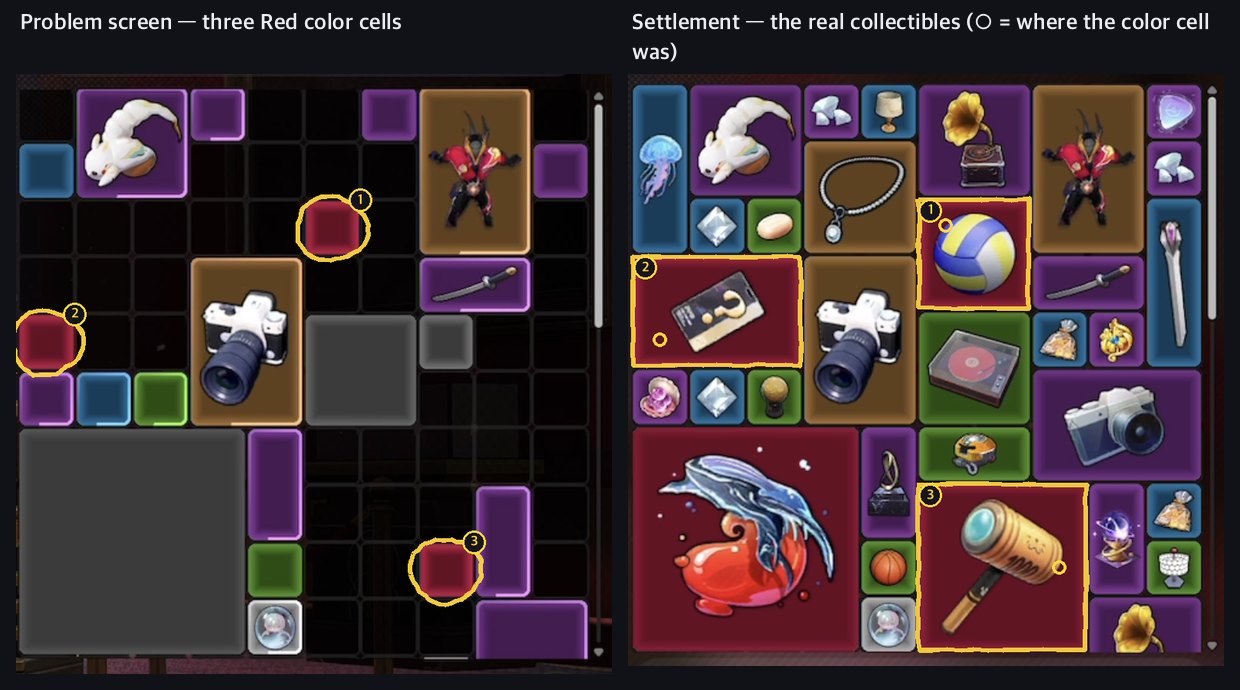
- ① Brand-New Limited Volleyball (88,600) · ② Unknown Access Card (366,112) · ③ Thud-Thud Hammer (100,000) — count them as 1×1 from a single color cell and you miss these three collectibles' value entirely
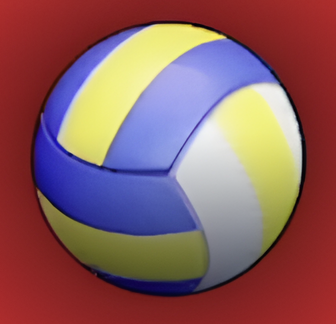 Brand-New Limited Volleyball88,600
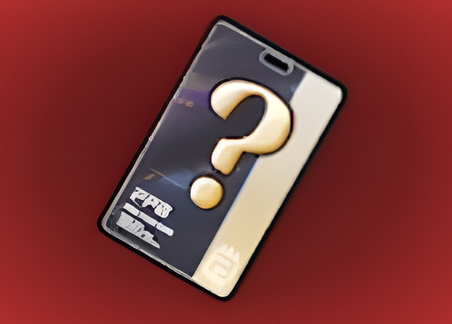 Unknown Access Card366,112
 Thud-Thud Hammer100,000
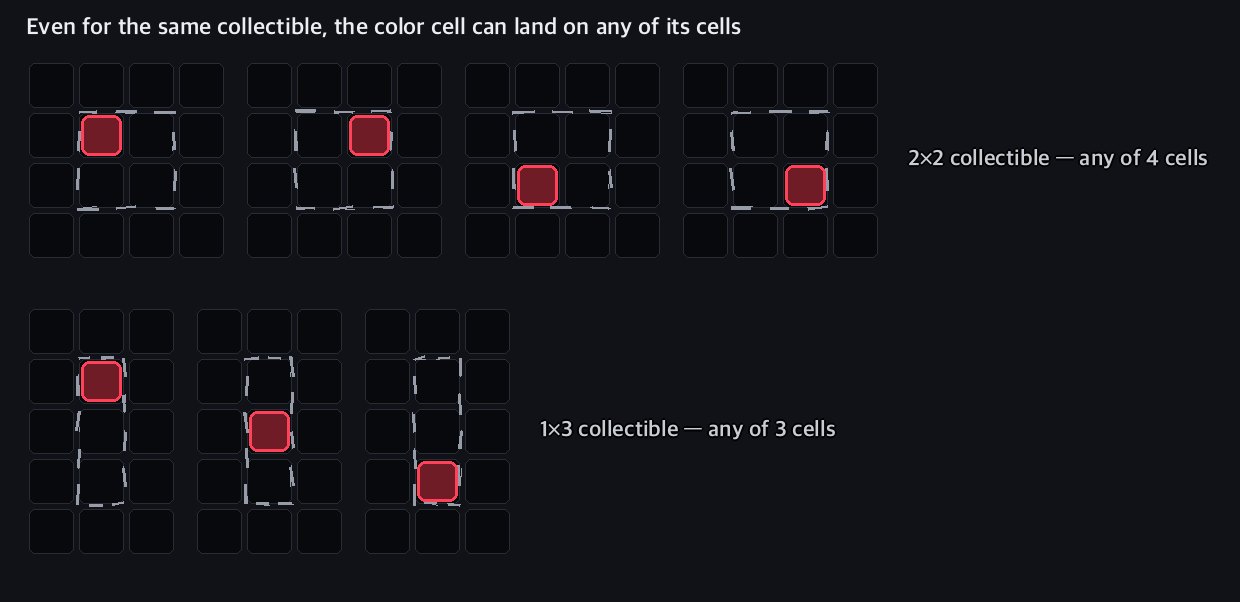
The color cell isn't the top-left
Color cell position = any cell the collectible occupies
- We matched 198 color cells of bigger collectibles against the answers — only 56 (28%) were the top-left cell
- If every cell were equally likely, you'd expect about 60, which matches the measurement. There was no strong lean up or down, or left or right, either
- So don't assume "it extends right and down from the color cell" — it can extend up and left too
- The picture above shows it too — ① is the top-left cell, but ② has its color on the bottom-left cell and ③ on the middle-right cell
A different base rate for each color
Chance a single color cell is a real 1×1 — Red 21% · Gold 18% · Purple·Blue 59% · Green 71%
| Color | Single color cells | Real 1×1 | Bigger collectible | Shapes hiding behind (most common first) |
|---|---|---|---|---|
| Red | 72 cells | 21% | 79% | 1×2 · 3×2 · 3×3 · 2×2 · 1×3 |
| Gold | 72 cells | 18% | 82% | 1×2 · 2×2 · 2×3 · 4×5 · 3×1 |
| Purple | 101 cells | 59% | 41% | 2×1 · 2×2 · 1×2 · 1×3 |
| Blue | 69 cells | 59% | 41% | 1×2 · 2×1 · 1×3 · 2×2 |
| Green | 45 cells | 71% | 29% | 2×1 · 1×2 · 2×3 · 3×1 |
- Four in five Red and Gold color cells are bigger collectibles — 1×1s are rare (4 of the 30 Red collectibles · 7 of the 50 Gold) and big collectibles are common
- Collectibles with more cells seem to get caught as color cells more often — the model "pick one cell of the board at random and reveal the color of the collectible on it" fits the measurements best
- Purple and below have plenty of 1×1s, so the default leans 1×1 — still, four in ten are bigger
- 1×1 collectibles whose silhouette and color are both known look the same, so they're mixed into this table — which is why the 1×1 share for Purple and below comes out a little high
Boxed in means 1×1
Other collectibles or the board edge on every side = confirmed 1×1
- The collectible behind a color cell extends only into cells that show nothing — it can't use cells holding another collectible's silhouette, color or picture
- It can't cross the board's top, left or right edge
- Adjacent color cells are different collectibles too — out of the 359 measured cells, two color cells never once belonged to the same collectible
- The board is filled from the top with no gaps — every cell that shows nothing is still some collectible's spot
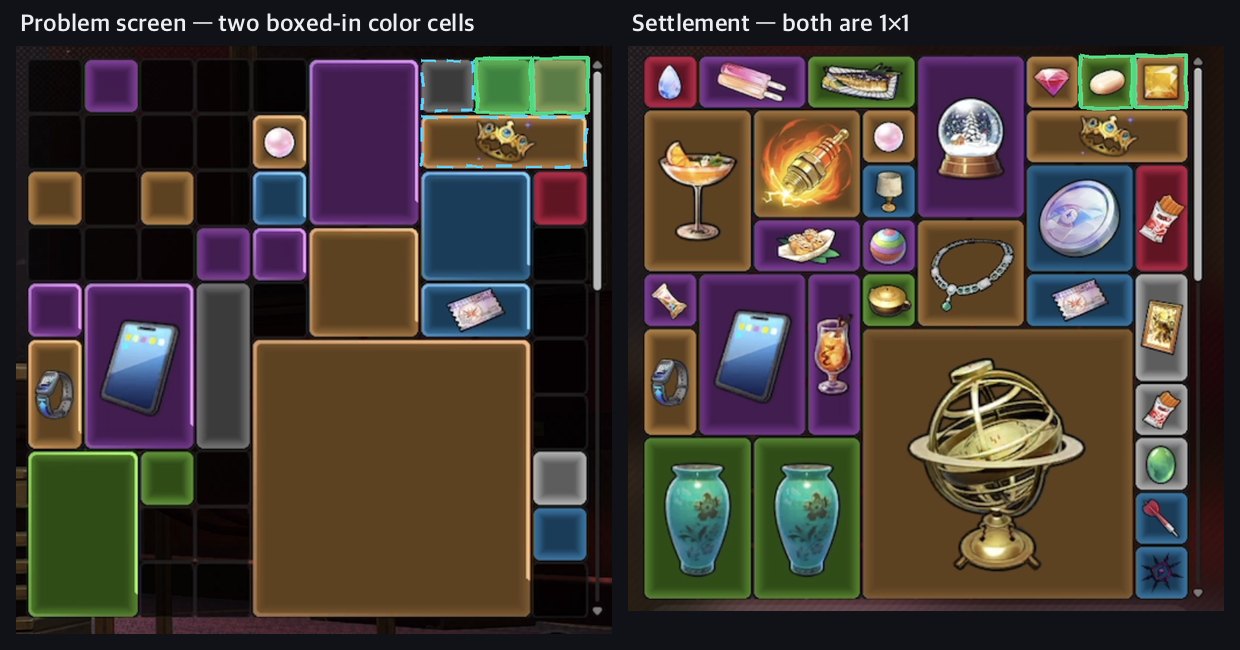
- The Gold one was Laurel Crown (7,648) — a boxed-in color cell goes straight into your count at the value of that color's 1×1 candidates
 Laurel Crown7,648
Narrowing it down with empty cells
For each shape of that color, count the placements that contain the color cell and fit into empty cells — more placements and a more common shape mean likelier
- Steps
- ① List the shapes that color comes in (for Red: 1×1 · 1×2 · 2×1 · 2×2 · 3×2 · 3×3 · 4×4 · 5×5 …)
- ② For each shape, count which cell the color cell has to be for the shape to fit inside the empty cells — the color cell can be any cell, so count placements that extend up and left too
- ③ The more placements a shape has × the more common that shape is in that color, the likelier it is
- Here is the count for the Red cell ① below — the highlighter marks the empty cells this collectible can extend into
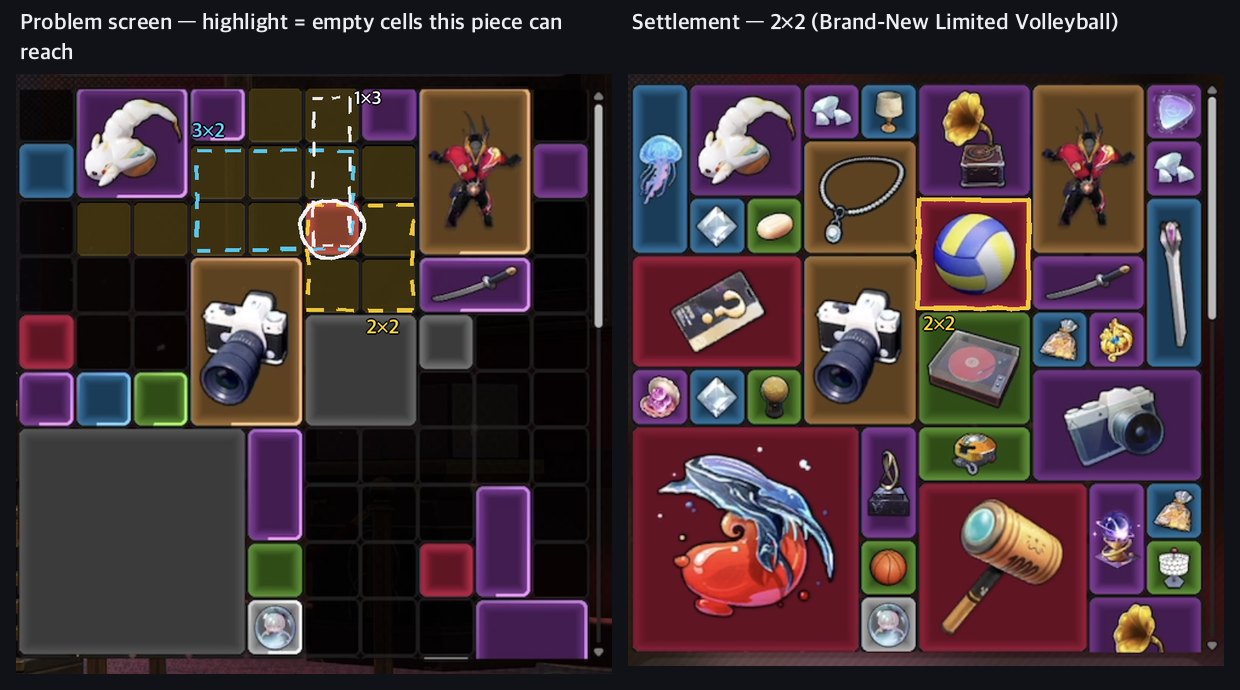
| Shape | Placements that fit | Likelihood |
|---|---|---|
| 2×2 | 3 spots | 25% |
| 3×2 | 2 spots | 15% |
| 2×1 | 2 spots | 15% |
| 1×2 | 2 spots | 14% |
| 1×1 | 1 spot | 14% |
| 1×3 · 5×1 · 2×3 · 1×4 | 1–2 spots | 3–5% each |
- The answer was 2×2 (Brand-New Limited Volleyball (88,600)) — the top candidateBrand-New Limited Volleyball88,600
- Likelihood = number of placements for that shape × that shape's share of Red in 1.3 Pearl board scans (counting the collectibles laid out on a board)
- How reliable is it — we ran the same calculation on all 359 color cells
- 24 cells where the 1×1 chance came out above 80% → 23 were really 1×1
- 144 cells below 30% → 28 (19%) were really 1×1
- Tip for counting by hand: if the empty space runs long and one cell wide, think bars (1×2·1×3·2×1); if it's open on all sides, keep the big shapes in play
When color cells cluster
Adjacent color cells block each other's spots — settle the cramped one first, hand the leftover empty cells to the roomy one
- When several color cells sit together, there are fewer candidates than when you count each one separately — when one collectible extends, the empty cells its neighbors can use shrink
- Settle the boxed-in side (cells with many neighbors) first, and leave wide empty space for the big collectibles last
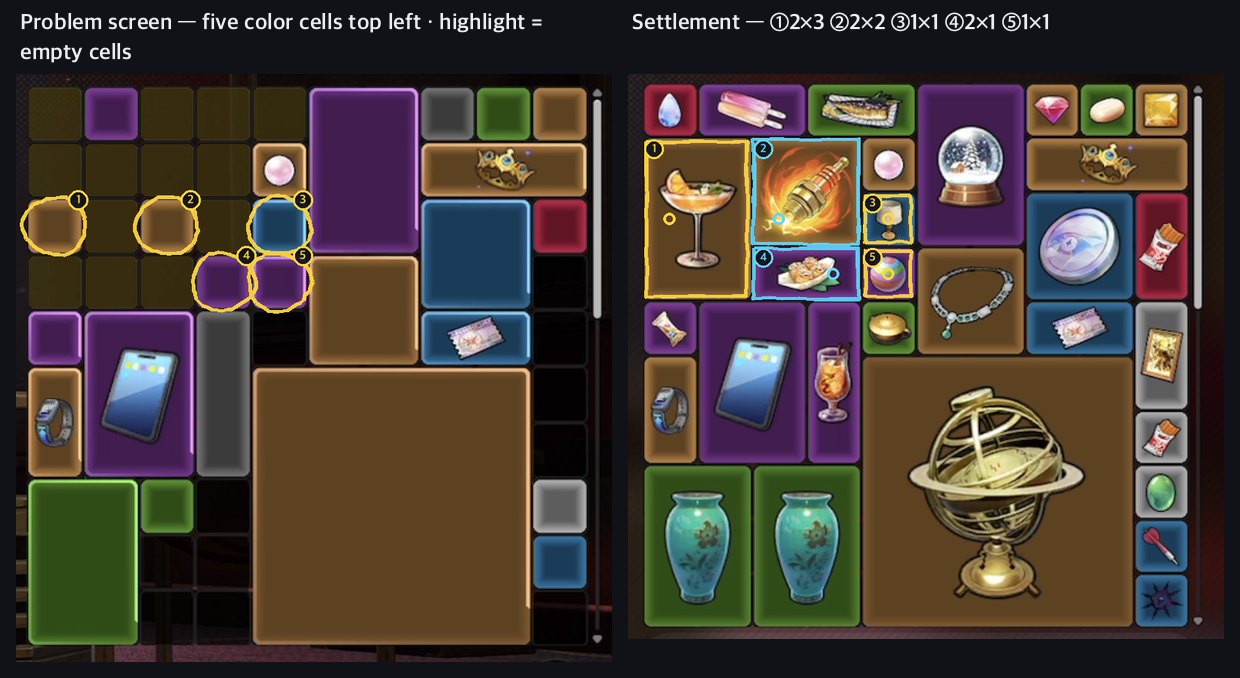
- ⑤ Purple — a Gold 2×2 to the right, ③ above, ④ to the left, so only the one cell below is empty → 1×1 (78%) or 1×2. Answer: 1×1
- ③ Blue — a picture above (a 1×1 Gold), a Purple 2×3 to the right, ⑤ below → only one cell to the left → 1×1 (73%) or 2×1. Answer: 1×1
- ④ Purple — ⑤ to the right and a grey silhouette below, so it extends only left or up → 1×1 · 2×1 · 1×2 · 1×3. Answer: 2×1 (to the left)
- ①② Gold — plenty of empty cells remain at top left, so even the big shapes are open → ① Sea Salt Deep in the Heart (30,211) (2×3) · ② Blueflame Spark Plug (15,108) (2×2)
 Sea Salt Deep in the Heart30,211
 Blueflame Spark Plug15,108
 - If ④ takes one cell to the left, the spots for ②'s 2×2 drop from three to two, and if ② sits on the right (columns 2–3), ① is settled within the two left columns — they settle by locking into each other
What changed in 1.4
More shapes behind a Red color cell — 3×1 · 2×5 · 3×4 and the 1×1 Cloudveil Cup
- New Red — 3×1 Stringblade (8,989,898) · Favorite Pizza (29,977), 2×5 Antique Pendulum Clock (150,933), 3×4 Game Console (119,211), 3×3 Luminous Goblet (16,800,000), 1×1 Cloudveil Cup (500,000) · new Gold 2×5 Creamy Berry Baguette (30,452)
 Stringblade8,989,898
 Favorite Pizza29,977
 Antique Pendulum Clock150,933
 Game Console119,211
 Luminous Goblet16,800,000
 Cloudveil Cup500,000
 Creamy Berry Baguette30,452
 - Shape shares of the 497 Red pieces in 140 1.4 board scans (Pearl 100 · Coral 40) — 1×1 15% · 2×2 13% · 3×2 9.7% · 1×2 8.9% · 3×3 8.5% · 2×1 7.8% · 4×4 6.8% · 3×4 5.2% · 2×5 4.8% · 1×3 4.6% · 3×1 2.4%
- Even with the Cloudveil Cup added, the Red 1×1 share is about the same as in 1.3 — a Red color cell is still usually a bigger collectible
- 2×5 and 3×4 have small shares, so a single color cell rarely puts them first — they rise when the shape of the empty space fits them (pictures below)
Stringblade8,989,898Favorite Pizza29,977Antique Pendulum Clock150,933Game Console119,211Luminous Goblet16,800,000Cloudveil Cup500,000Creamy Berry Baguette30,452New 1.4 shapes — guessing from the shape of the empty space
Measure the width and length of the open space — a two-cell-wide vertical corridor points to 2×5, a single horizontal row blocked above and below to 3×1, a wide open area all the way up to 3×4
- In the four pictures below, the right side is the actual settlement screen from a 1.4 board scan, and the left side is the screen you would have seen in that round, made by running Auction Practice's reveal rules (character ability · auctioneer · devices) on that board and redrawn in the Auction Practice board style — there are no 1.4 problem-screen screenshots yet
- The color cell sits on any cell of the collectible, just like in the real game. Highlighter = the empty cells this color cell's collectible can extend into, dashed outline = main candidates, ○ = color cell
- Likelihood = number of placements for the shape × that shape's share of Red — the same count as in "Narrowing it down with empty cells" above. The percentages in the tables below use the shares from the day the pictures were made (2026-10-05)
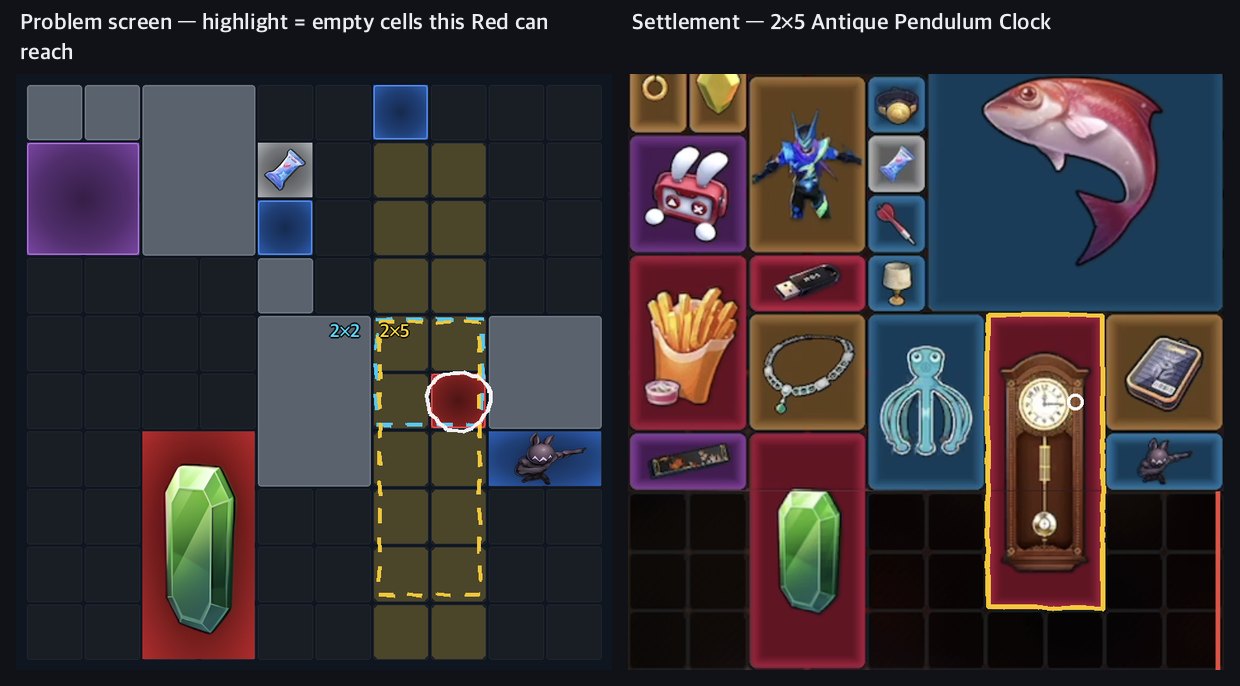
- A grey silhouette to the right of the color cell, one empty cell to the left, and those two columns run long from top to bottom → a two-cell-wide vertical corridor
- Shapes three or more cells wide (3×2 · 3×3 · 3×4 · 4×4) don't fit in the corridor and drop out entirely — the shapes with big shares in Red are wiped out at once
- 2×5 is only 4.8% of Red, but in a vertical corridor it fits in five spots, which lifts it to second
| Shape | Placements that fit | Likelihood |
|---|---|---|
| 2×2 | 2 spots | 19% |
| 2×5 | 5 spots | 18% |
| 1×2 | 2 spots | 13% |
| 1×4 | 4 spots | 11% |
| 1×1 | 1 spot | 11% |
| 1×3 · 2×4 · 2×1 · 2×3 | 1–4 spots | 4–10% each |
- The answer was Antique Pendulum Clock (150,933) — the color cell was the right-hand cell of the second row from the topAntique Pendulum Clock150,933
- The longer the corridor, the likelier vertical bars like 2×5 · 1×4; the shorter, the likelier 2×2
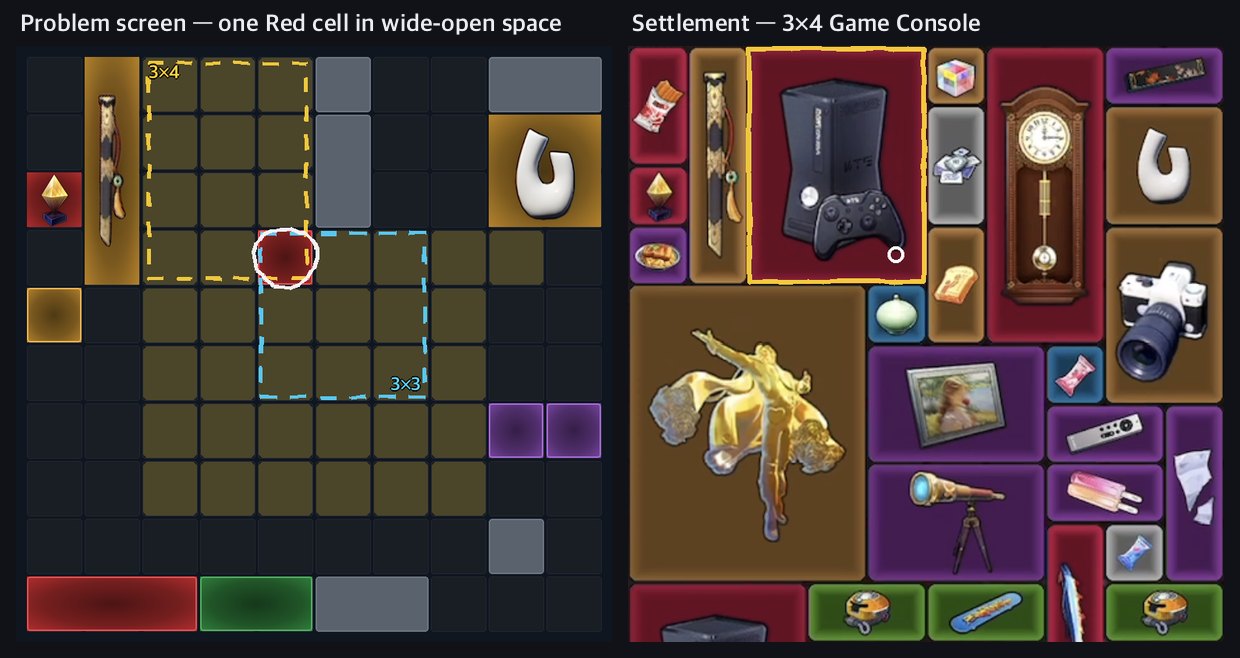
- Above the color cell it's empty up to the board edge, and five rows are empty below → almost every big shape fits
- The likelihoods are all close — 3×3 13% · 2×2 13% · 3×2 12% · 3×4 11% · 2×5 8% · 4×4 7% — a board one color cell can't settle
- There's still a clue — above the color cell, between the picture on the left (identity revealed) and the grey silhouette on the right, exactly three cells wide · four cells tall is empty up to the board edge. A 3×4 fits that spot exactly
- In cases like this, rule out the shapes whose value varies widely first — 4×4 is Golden Koi Statue (22,668,888) and two in the 50,000s, and 3×3 is Luminous Goblet (16,800,000) and three in the 100,000–260,000 range, so they're worth checking with the 9-slot average or a Collectible device. 3×4 is only Game Console (119,211), so once the shape is settled, so is the value
 Golden Koi Statue22,668,888Luminous Goblet16,800,000Game Console119,211
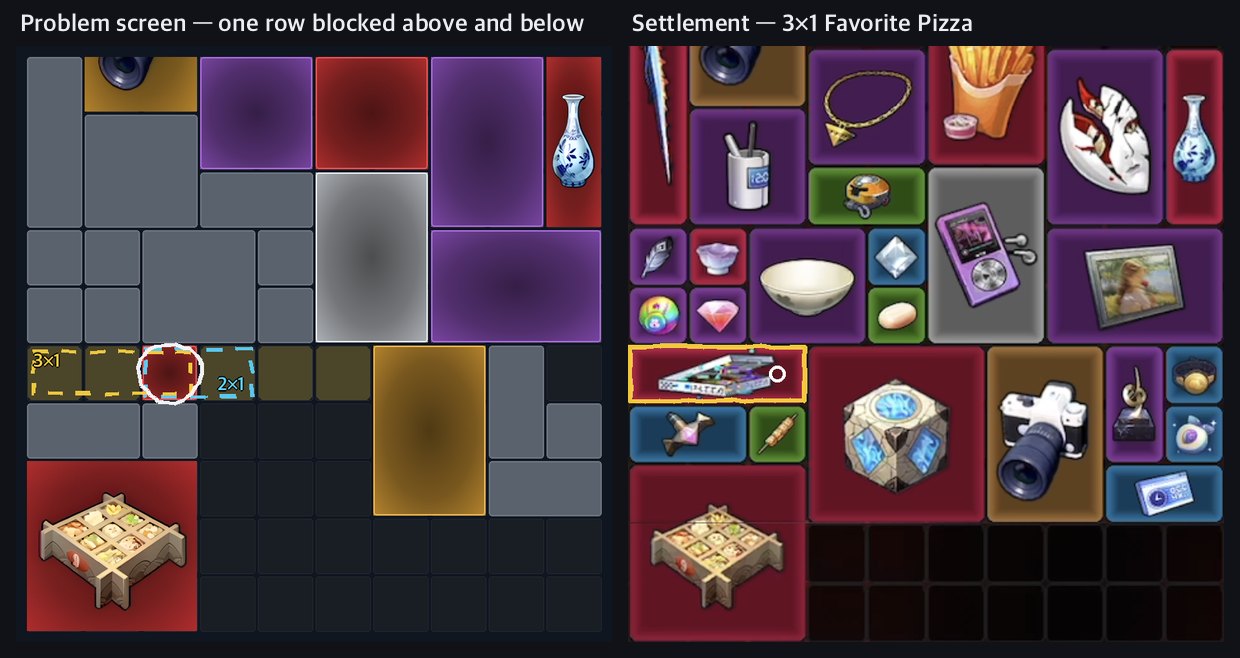
- A grey silhouette above, and a grey silhouette and a picture blocking below, so only one horizontal row is open → what's left are horizontal bars: 1×1 35% · 2×1 35% · 3×1 17% · 5×1 13%
- The 1.4 Red 3×1s are Favorite Pizza (29,977) and Stringblade (8,989,898) — a 300-fold difference in value. Don't mark a Red cell with three or more cells open in one horizontal row down to a 1×1 valueFavorite Pizza29,977Stringblade8,989,898
- If it's 2×1, it's Data Vault (5,121,024) (jackpot-class) · Chiming Pendant (78,800) · Thoth USB Drive (76,008) · Crunchy Tempura Rice Bowl (29,977); if 5×1, Radiant Scepter (288,888) — up to 2×1, the 2-slot average sorts it out
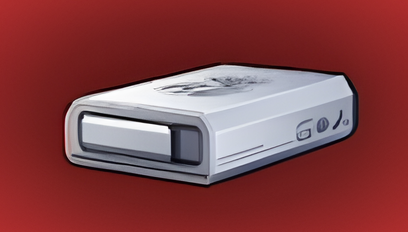 Data Vault5,121,024
 Chiming Pendant78,800
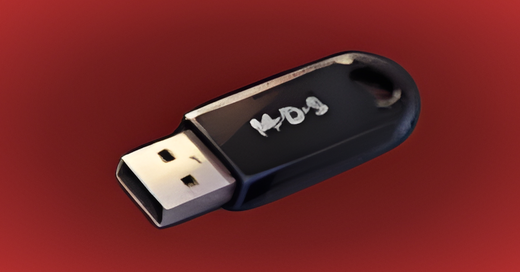 Thoth USB Drive76,008
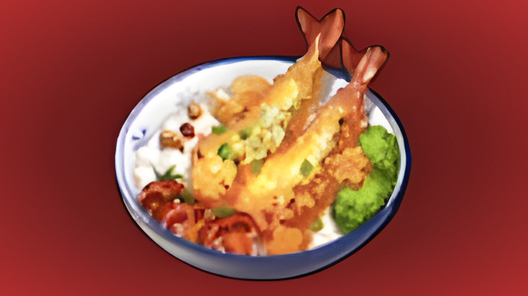 Crunchy Tempura Rice Bowl29,977
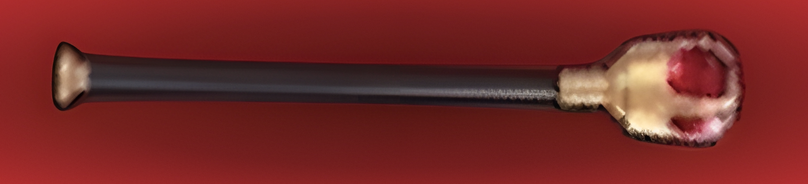 Radiant Scepter288,888
 - The answer was Favorite Pizza (29,977) — the color cell was at the right end, so it extended to the leftFavorite Pizza29,977
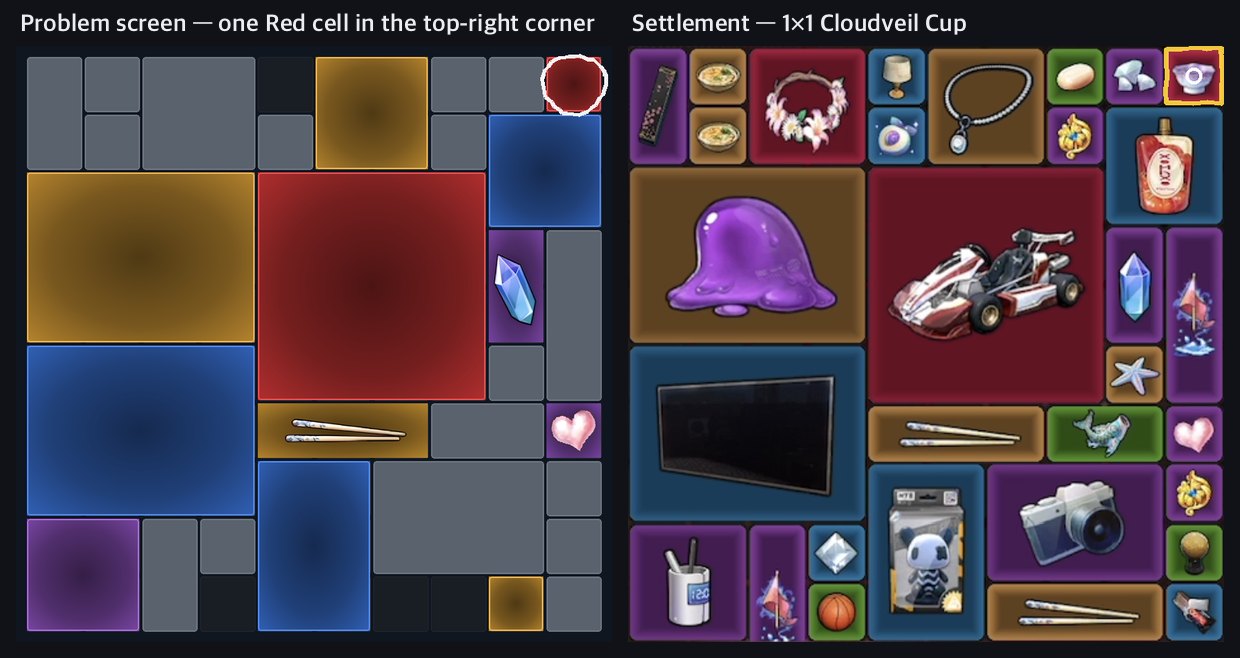
- Board edge above and to the right, a grey silhouette to the left, a Blue silhouette below → confirmed 1×1
- There are five 1.4 Red 1×1s — Cloudveil Cup (500,000) has joined a spot that through 1.3 held only three in the 50,000–60,000 range and Eternal Heart (1,314,520)Cloudveil Cup500,000
 Eternal Heart1,314,520
 - The 76 Red 1×1s in 1.4 board scans = Eternal Heart 32% · Cloudveil Cup 24% · the rest are the three in the 50,000–60,000 range → the expected value of a boxed-in Red 1×1 cell is about 560,000
- Answer: Cloudveil Cup (500,000)Cloudveil Cup500,000
Reading order in 1.4
Boxed in → corridor width → open area, in that order — check only the shapes whose value varies widely with a device
- ① Boxed in — other collectibles or the board edge on every side means 1×1. For Red, it's one of the Eternal Heart · the Cloudveil Cup · the three in the 50,000–60,000 range (expected value about 560,000)
- ② Corridor width — one cell wide means a 1×N bar (1×2 · 1×3 · 1×4), two cells wide and vertical means 2×2 · 2×5, a single horizontal row blocked above and below means 2×1 · 3×1 · 5×1
- ③ Open area — if it's wide open, keep 3×3 · 3×4 · 4×4 in play. Here the color cell alone can't settle it
- ④ Check only the shapes whose value varies with a device — 2×1 (Vault) · 3×3 (Goblet) with the 2-slot · 9-slot average, 4×4 (Koi) · 3×1 (Stringblade) with a Collectible device
- Adjacent color cells block each other's spots — settle the cramped one first and leave the wide empty space for the big collectibles (previous section)
- The Gold 2×5 Creamy Berry Baguette (30,452) is only 2.6% of Gold and worth just 30,000, so even for a Gold cell in a two-cell-wide vertical corridor, look at 2×3 · 2×2 firstCreamy Berry Baguette30,452
In practice — finish the check with devices
After narrowing it down with color cells, set your checking order with silhouette · 2-slot average · identity
- A boxed-in color cell is a 1×1, so count it straight away at the value of that color's 1×1 candidates — a Red 1×1 is one of Eternal Heart (1,314,520) · Cloudveil Cup (500,000) · the three in the 50,000–60,000 rangeEternal Heart1,314,520Cloudveil Cup500,000
- Red and Gold cells in open empty space are likely to be big collectibles — when you count the board value, don't mark them down to a 1×1 value
- A Red narrowed to 1×2 or 2×1 can be sorted among Data Vault (5,121,024) · Cool-lala Spicy Snack (280,000) · Traveler's Stone (150,051) with the 2-slot average (Advanced All-round)Data Vault5,121,024
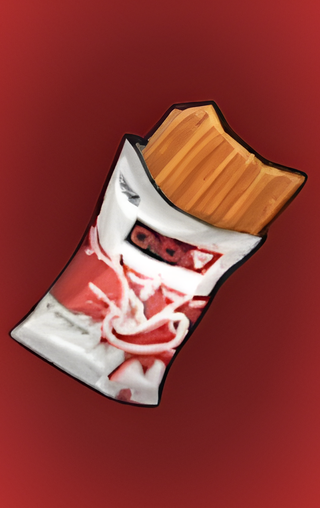 Cool-lala Spicy Snack280,000
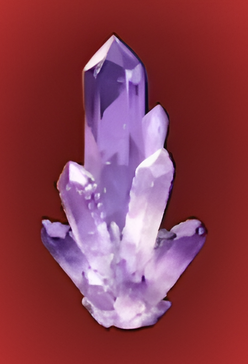 Traveler's Stone150,051
 - Size and Collectible devices are random, so there's no guarantee they'll hit that cell — put the candidates you narrowed down with the color cell into your board value count only in proportion to their probability
- To practice, try Board Reading — it uses real board screenshots, so the color cells are marked just like in this guide
See also
Reading the boardChoosing a Device SetHotori — reading value from type silhouettes